AI Image Extender — Convert to 16:9 Widescreen
Keep the subject in frame for a widescreen slide, thumbnail, or header. Upload a square or vertical photo, review the 16:9 canvas, and describe only the background that should continue.
- 1Upload
- 2
- 3
or drop photos here
JPG, PNG, WEBP · up to 5 images · 10 MB each
Source uploads and generated images are kept for 24 hours. Download results before they expire. Storage details
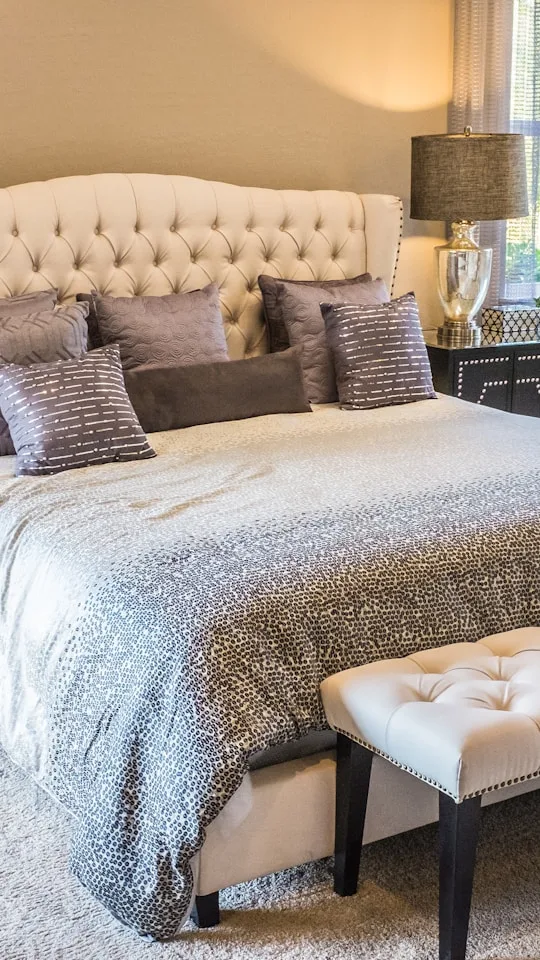
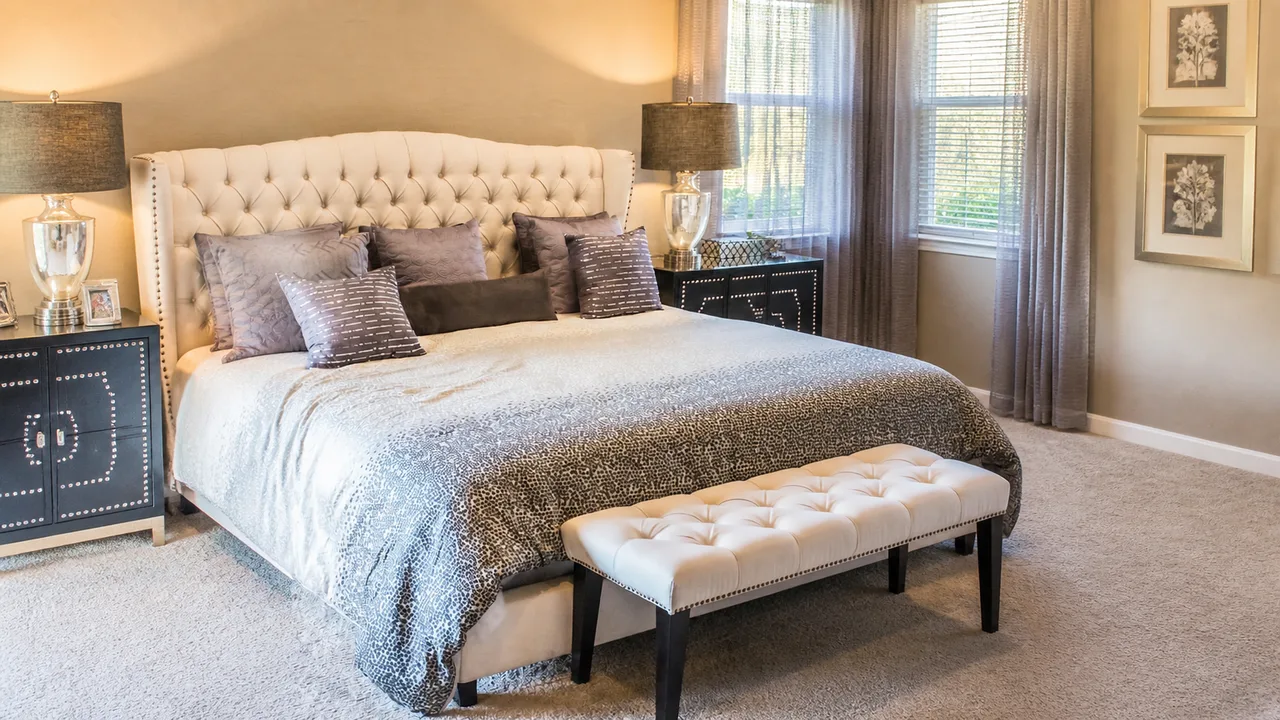
From a vertical room photo to widescreen
What the wider view adds
The bed remains the focal point while the wider example shows more side wall, floor, curtains, and bedside furniture. Those added areas are generated scenery; they cannot establish what exists outside the source photo.
Where to check it
Compare the bed outline, lamp edges, cabinet studs, window lines, and carpet pattern with the source. Inspect the transition into the wider sides at full size. This existing sample is a composition reference, not a guarantee of the next generation.
Crop, add a border, or extend
- Crop
- Remove top and bottom when all important details still fit inside a wide frame.
- Add a border
- Keep the source exact when a plain surrounding area is acceptable.
- AI extend
- Generate a plausible continuation when a wide scene matters more than certainty about the missing area.
Prepare a useful 16:9 result
- Use the Room sample above or upload a photo with continuous edges.
- Keep the 16:9 canvas. For a room, describe the wall, floor, and light that should continue.
- Generate, compare the result at full size, and check its downloaded dimensions.
A vertical source needs substantial invented scenery to become wide. Cut-off people, text, reflections, and repeating architecture make that continuation harder. Use a new source when the generated area would need to be factual.
Other ratios & use cases
About 16:9 extension
When should I crop instead of extending?
Crop when the extra space is unimportant and the subject still fits. Extend when cropping would remove the subject or context you need. A solid border is another option when you need exact original pixels and do not want generated scenery.
Is every 16:9 download 1920 × 1080?
No. 16:9 describes the shape, not a guaranteed pixel size. Check the downloaded file dimensions for your destination. The existing room example below is 1280 × 720; outpainting is not a separate upscaling service.
Will the new area be factually accurate?
The new area is a plausible generated continuation. It can invent objects or change edge details. Compare straight lines, repeated patterns, reflections, faces, and text with the source. Do not use generated room geometry as evidence of a property’s actual layout.
What does generation cost?
Each generated image uses 1 credit. Upload and set up the 16:9 canvas first, then sign in and check the displayed cost before generating. Generation time varies with the service and image.